Note: This bug is displayed in read-only format because
the product is no longer active in Red Hat Bugzilla.
Red Hat Satellite engineering is moving the tracking of its product development work on Satellite to Red Hat Jira (issues.redhat.com). If you're a Red Hat customer, please continue to file support cases via the Red Hat customer portal. If you're not, please head to the "Satellite project" in Red Hat Jira and file new tickets here. Individual Bugzilla bugs will be migrated starting at the end of May. If you cannot log in to RH Jira, please consult article #7032570. That failing, please send an e-mail to the RH Jira admins at rh-issues@redhat.com to troubleshoot your issue as a user management inquiry. The email creates a ServiceNow ticket with Red Hat. Individual Bugzilla bugs that are migrated will be moved to status "CLOSED", resolution "MIGRATED", and set with "MigratedToJIRA" in "Keywords". The link to the successor Jira issue will be found under "Links", have a little "two-footprint" icon next to it, and direct you to the "Satellite project" in Red Hat Jira (issue links are of type "https://issues.redhat.com/browse/SAT-XXXX", where "X" is a digit). This same link will be available in a blue banner at the top of the page informing you that that bug has been migrated.
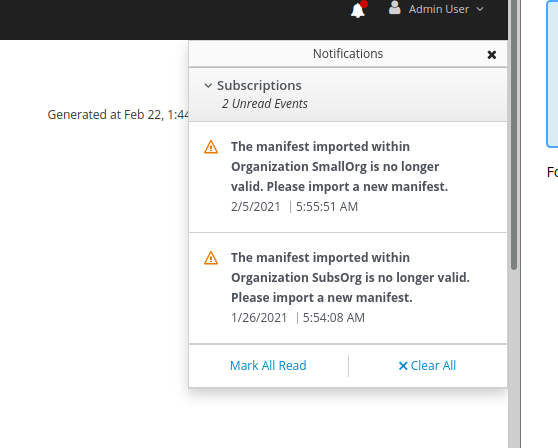
When a Satellite's manifest becomes invalid (changes upstream or expires), the user in Satellite is often presented with a very generic "500 Error":

"Request failed with status code 500"

This requires the customer to dig through the log files to determine the error, often results in a case being filed and takes time and effort to solve a common situation.

We should handle this situation with more grace and a useful error message stating:

"Your Subscription Manifest needs to be refreshed to enable inventory upload. Please go here to refresh."
Since the problem described in this bug report should be
resolved in a recent advisory, it has been closed with a
resolution of ERRATA.

For information on the advisory (Important: Satellite 6.12 Release), and where to find the updated
files, follow the link below.

If the solution does not work for you, open a new bug report.

https://access.redhat.com/errata/RHSA-2022:8506